
YooPKR Game Download 2026|Your Pocket-Sized Gaming Hub
Latest v1.00.1|Register & Login
Description
YooPKR brings its game lobby, account options, promotions, rewards, and referral information together in a mobile interface. Users can browse titles, check offers, review account-related shortcuts, and find support topics through separate sections.
The main navigation includes Home, Promotion, Share, Rewards, and Member. Each area serves a different purpose: Home presents game cards, Promotion lists offers, and Member brings account tools into one place. Meanwhile, the Rewards and Share sections display daily reward information and referral figures.
This review focuses on the features and information visible across YooPKR’s pages. Details that are not shown, such as individual game rules or payment processing times, are not assumed.
The First Step: Login or Register
YooPKR’s account access page presents two choices: Login and Register. The selected Login section includes fields for a username and password. A password visibility icon appears beside the password field.
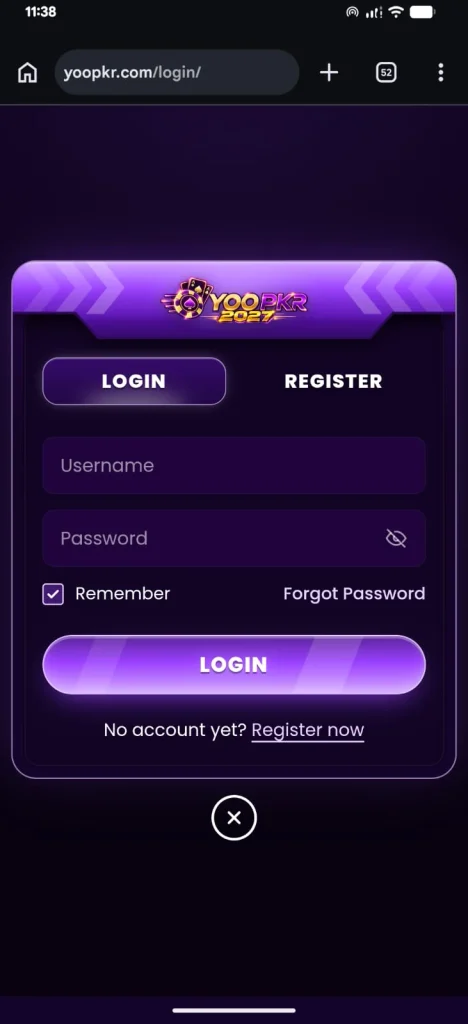
Below the fields, a Remember option is checked, and a Forgot Password link appears alongside it. The page also includes a Login button and a separate Register now link for users who do not yet have an account.
These labels make the available entry points easy to identify. However, the registration form is not visible, so the information required to create an account cannot be confirmed. The password recovery steps are also not shown.
| Account option | Visible purpose |
|---|---|
| Login | Access through username and password fields |
| Register | A separate tab for account registration |
| Remember | An option displayed beneath the fields |
| Forgot Password | A link beside the Remember option |
| Register now | A second registration link below the Login button |
A Lobby Built Around Recognizable Titles
The YooPKR lobby presents games as individual cards. Several are marked HOT, while a separate section is labeled Popular. Each visible card includes a title, and some also carry provider branding.
The highlighted selection includes Aviator, FlyX, Car Roulette, Speed Winner, Fortune Gems 2, and Fortune Rabbit. Further down, the Popular section includes Fortune Gems 3 and Super Ace.
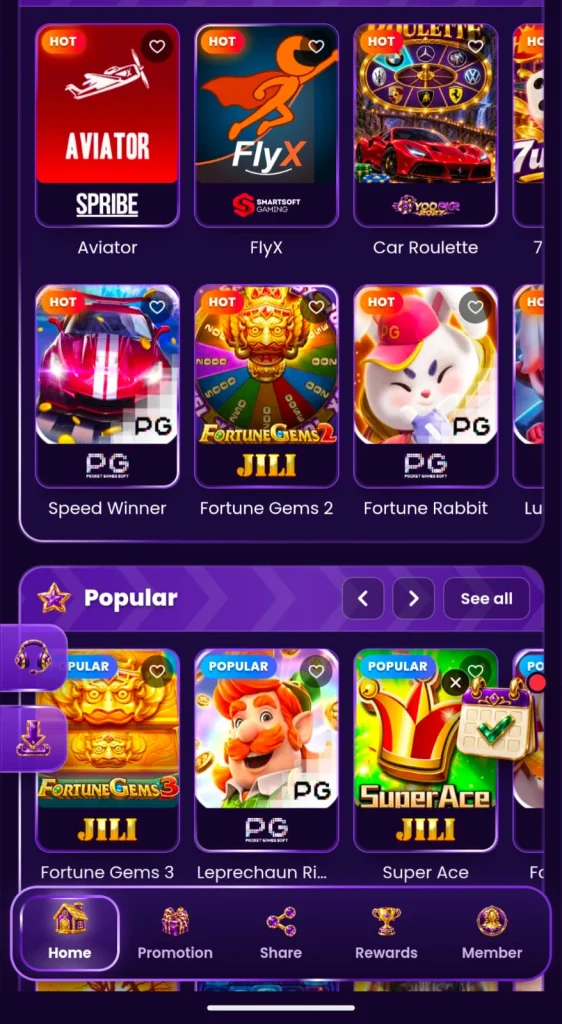
Another card’s title appears as “Leprechaun Ri…” because the text is shortened. Consequently, its complete name cannot be confirmed from the visible label.
Heart icons appear on the cards, while the Popular section includes left and right arrows and a See all button. These controls are visible alongside the games, although the result of selecting them is not shown.
Meeting the Names Behind the Cards
The lobby identifies several providers through names or branding on the game cards. Aviator displays SPRIBE, while FlyX displays SmartSoft Gaming. PG and JILI branding also appear on several other titles.
This information helps distinguish the visible cards before a user opens a game. However, a provider label does not explain a title’s rules, controls, or outcomes. Those details are not available in the lobby view.
| Visible title | Provider or branding shown |
|---|---|
| Aviator | SPRIBE |
| FlyX | SmartSoft Gaming |
| Car Roulette | YooPKR branding |
| Speed Winner | PG |
| Fortune Gems 2 | JILI |
| Fortune Rabbit | PG |
| Fortune Gems 3 | JILI |
| Super Ace | JILI |
Aviator, FlyX, and the Featured Selection
Aviator and FlyX appear near the top of the visible lobby and carry HOT labels. Their names and provider branding are clearly displayed, placing them among the highlighted choices.
Car Roulette appears alongside them. Its card displays the title beneath an illustration combining a roulette-style wheel and a car. In the next visible row, Speed Winner, Fortune Gems 2, and Fortune Rabbit add further choices.
Although these cards identify several games, they do not reveal what happens after a title is opened. Therefore, the visible lobby supports an overview of the selection, but not a review of each game’s actual play experience.
Popular Picks Beyond the First Row
The Popular section introduces another group of cards. Among the visible names are Fortune Gems 3 and Super Ace, both displaying JILI branding. A PG-branded card appears between them, although its title is shortened on the page.
The section heading includes arrow controls and a See all button. Together, these elements give users visible ways to explore the category. At the same time, the available view does not establish how many titles appear in the complete Popular list.
Five Menu Labels, Five Destinations
The main navigation bar contains Home, Promotion, Share, Rewards, and Member. The same labels appear across several pages, helping users identify the platform’s main sections.
Home is associated with the lobby. Promotion presents offers, while Share contains referral information. Rewards brings together reward-related categories, and Member opens the account area.
The selected item is highlighted according to the page being viewed. For example, Promotion is selected on the offers page, while Share is selected on the referral page. As a result, the navigation gives users a clear indication of their current location.
What the First-Deposit Panels Actually Say
The Promotions page opens with an introduction to available offers. A First Deposit bonus panel states that users can claim a 10% match, up to PKR 500, when depositing for the first time. A Deposit now button appears beside the description.
A separate promotional card advertises a 100% first-deposit bonus. It also displays VIP1+, and the section beneath the card says VIP1 NEEDED.
These messages appear in different parts of the page. Since their full conditions are not shown, they should not automatically be treated as the same offer. Users should check the relevant terms before making a deposit or relying on either promotion.
| Promotion area | Visible information |
|---|---|
| First-deposit panel | 10% match, up to PKR 500 |
| Button beside the panel | Deposit now |
| Separate promotional card | 100% first-deposit bonus |
| Requirement on the separate card | VIP1 needed |
Reading the Promotion Counters
Below the first-deposit panel, YooPKR displays three promotion filters: All, Available, and Claimed. The visible numbers are All 1, Available 0, and Claimed 0.
These counters offer a quick summary of what the page is displaying. However, they do not explain the complete eligibility rules for the listed promotion. They also do not show wagering requirements, expiration dates, or withdrawal conditions.
Consequently, the counters are useful for understanding the current page view, but they should not replace the full terms of an offer.
Opening the Rewards Cupboard
The Rewards page contains five tabs: Every day, Bonuses, Cashback, VIP, and Bonus code. The Every day tab is selected in the displayed view.
A Daily rewards banner invites users to return and collect rewards. However, the message below it says “Nothing to collect today.” It adds that daily rewards appear when they are running and suggests checking back tomorrow.
This is an important distinction. The daily rewards area is visible, but the displayed account does not have a reward available to collect at that time. The contents of the other reward tabs are not shown, so their amounts and eligibility conditions cannot be confirmed.
The Road to VIP1
The My Account page displays a panel titled Progress to VIP1. The visible progress is 0%, and the message underneath reads: “Bet PKR 100,000 more to reach VIP1.”
This panel gives the displayed account a clear numerical progress point. Nevertheless, the page does not explain what benefits VIP1 provides or show the terms of other VIP levels.
The separate Promotions page also refers to VIP1 as a requirement for one advertised offer. However, the full relationship between VIP status and promotional eligibility is not explained in the visible information.
Sixteen Shortcuts Inside the Member Center
The Member Center groups account-related options into a grid. The first row includes Wallet, Bonuses, Bonus Code, and Betting Record.
Additional shortcuts include Profit and Loss, Deposit Record, Withdraw Records, and Account Record. The next group includes My Accounts, Deposit Problem, Withdraw Password, and Security Center.
Finally, the grid displays Invite Friends, Notifications, Suggestion, and VIP. The labels make it possible to identify the subject of each section without opening it.
However, the visible account page does not show the contents of these individual shortcuts. For example, the Wallet label does not establish which payment methods are available or how quickly transactions are processed.
Following Deposits, Withdrawals, and Activity
Several Member Center options relate to account records. A user looking for deposit information can identify Deposit Record, while withdrawal-related activity has a separate Withdraw Records label.
Similarly, Betting Record and Profit and Loss appear as distinct shortcuts. Account Record provides another labeled area for account activity.
This separation makes the different record categories easy to locate. Still, the available view does not show individual transactions, record details, payment limits, or processing times. Those features cannot be assessed from the shortcut labels alone.
Security and Account Options at a Glance
The Member Center includes Withdraw Password and Security Center. These labels identify account-related destinations, but their settings and procedures are not visible.
Other shortcuts cover invitations, notifications, suggestions, and VIP information. Together, they place a broad range of account topics in one section. Nevertheless, the visible page does not explain how feedback is handled, what security options are available, or what benefits apply to each VIP level.
Sharing an Invitation Without Losing Track
The Share section opens on an Overview tab. Three additional tabs are labeled Rewards, Records, and Invited List.
The Overview displays an invitation code and a registration link. Copy icons appear beside these items, and larger Copy and Share buttons are positioned below them.
Four cards then show Today’s Income, Yesterday’s Income, Registers, and Valid Referral. In the displayed account, all four values are zero. This separates the account’s referral figures from the game lobby and promotion filters.
Looking Closely at Referral Claims
Further down the Share page, a section titled Rewards Released to Date displays PKR 657,464,019 under Invitation Rewards. A statement underneath reads: “20% of a friend’s first deposit, plus 3% of every deposit after that.”
These numbers and percentages are claims displayed by the platform. The visible page does not independently verify the released-to-date figure or explain every condition that applies to referral rewards.
Therefore, users should review the full referral terms before relying on the displayed percentages. The zero values shown in the account’s individual counters are separate from the larger released-to-date figure.
When a Deposit Needs Attention
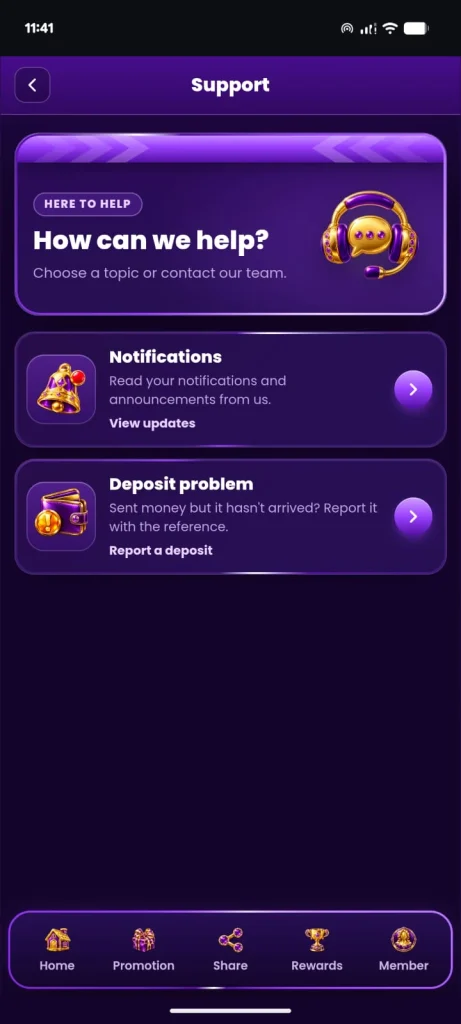
The Support page asks users to choose a topic or contact the team. Two visible options are Notifications and Deposit problem.
Notifications refers to updates and announcements. Deposit problem addresses a situation where money was sent but has not arrived. Its description asks the user to report the issue with the reference.
This gives deposit concerns a specifically labeled support route. However, the visible page does not show support hours, response times, or the steps that follow after selecting the option.
Where YooPKR Stands Out—and Where Details Are Missing
Advantages
- The lobby displays several named games and provider labels.
- Main sections are separated under clear navigation labels.
- Account records and security-related shortcuts are grouped.
- The rewards page states when nothing is available to collect.
- Deposit problems have a dedicated support topic.
- Referral figures are separated into individual counters.
Limitations
- Individual game rules and controls are not visible in the lobby.
- One game title is shortened on the displayed card.
- Full promotion and referral conditions are not shown.
- Payment methods and withdrawal processing times cannot be confirmed.
- Support response times are not displayed.
- VIP benefits are not explained in the visible progress panel.
Quick Answers Before You Explore
Which games are visible on YooPKR?
The visible titles include Aviator, FlyX, Car Roulette, Speed Winner, Fortune Gems 2, Fortune Rabbit, Fortune Gems 3, and Super Ace.
Which game providers are named?
The cards display SPRIBE, SmartSoft Gaming, PG, and JILI branding.
What first-deposit offers appear?
One panel describes a 10% match up to PKR 500. A separate card advertises a 100% first-deposit bonus and states that VIP1 is needed.
Is a daily reward available in the displayed account?
No. The Every day tab says there is nothing to collect today and that rewards appear when they are running.
What does the VIP1 progress panel show?
It shows 0% progress and says PKR 100,000 more must be bet to reach VIP1.
Where can a deposit problem be reported?
The Support page includes a Deposit problem option and asks users to report a missing deposit with the reference.
What appears in the referral section?
The Share section displays an invitation code, a registration link, referral counters, and a statement about percentages connected to friends’ deposits.
The Bottom Line on YooPKR
YooPKR’s visible pages cover more than a list of games. The lobby presents recognizable titles and providers, while separate sections organize promotions, rewards, referrals, support, and account shortcuts.
The layout makes it possible to find many of these topics by name. At the same time, important details remain outside the visible information. Game rules, complete bonus conditions, payment processes, and support response times cannot be evaluated from these pages alone.
For users considering an offer or deposit, the most useful next step is to review the applicable terms and account information directly before proceeding.
Discover More About YooPKR on Our Website